AprilAire Humidifier Error Codes: E1, E2 and E3
 By Ray Bennett · Updated 23 October 2026 · 6 min read · Checked against the maker’s manual
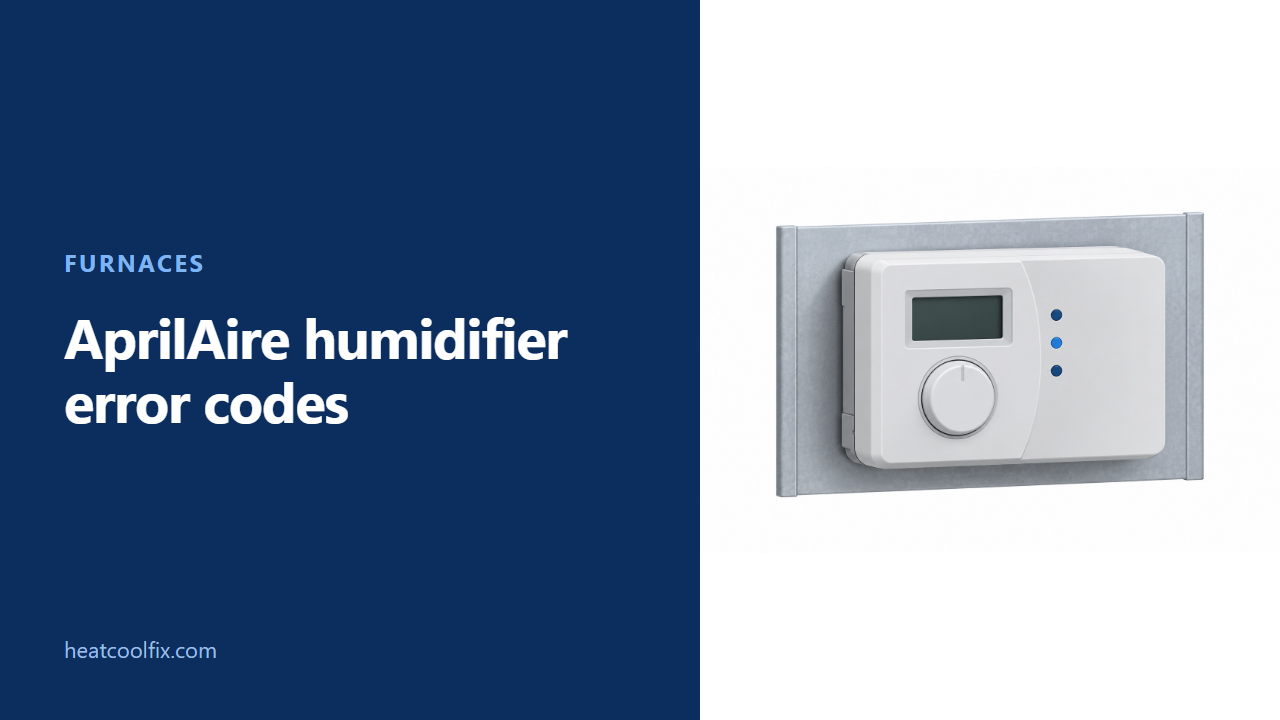
AprilAire's Model 60/62 operating guide says to record E1, E2 or E3 with a flashing red Call Dealer light and contact your HVAC dealer. Its FAQ identifies humidity-sensor, knob and outdoor/manual-sensor faults. The Model 60 yellow Change Water Panel light is a maintenance reminder, not the same fault signal.
AprilAire humidifier error codes start with identifying the control. The Model 60/62 operating guide says to note E1, E2 or E3 when the red Call Dealer for Service light flashes, then contact your heating and air conditioning dealer.
AprilAire’s separate digital-control FAQ identifies E1 as a relative-humidity sensor failure, E2 as a control-knob failure and E3 as an outdoor-temperature or manual-mode sensor not recognized. Those are control fault descriptions, not instructions to replace parts yourself.
The first useful job is to record the code and the indicator beside it. A yellow water-panel reminder has a different procedure. For a humidifier with no fault message, our furnace humidifier troubleshooting guide covers the wider airflow, water and setting checks.
Before you start
What to carry: a torch, a phone and the control’s operating guide. Photograph the entire control so the code, dial position and indicator label stay together. Find the humidifier’s model separately in accessible paperwork or on its outside label.
Gas or electric? These are humidifier control messages, not furnace burner codes. AprilAire’s guide says Model 62 is used for steam applications; Model 60 has the water-panel change feature. The same booklet also covers the separate Model 4655 manual control.
Renting? Send maintenance both model numbers, the display and the flashing indicator’s label. Mention whether the HVAC blower is running and whether the control was recently left at Test/Reset.
AprilAire’s FAQ says a flashing red service light means the installer needs to check control operation. Its operating guide directs E1, E2 and E3 to the HVAC dealer. Do not open the control, bridge terminals or change an internal mode switch as an owner code check.
This guide deals with the outside dial and display. It does not authorize opening a humidifier cabinet, removing a steam component or working on furnace wiring. Use the humidifier’s own maintenance instructions or arrange service for that equipment.
AprilAire warns that excess humidity can cause damaging condensation. If windows fog or frost, its operation table says to reduce the control dial by one increment. Do not keep increasing humidity to chase a fault code.
E1, E2 and E3: keep the fault with its indicator
Use the displayed code as a service description
AprilAire’s digital-control FAQ gives these meanings. Its 11.22 Model 60/62 operating table specifically tells owners to report E1, E2 or E3 with the flashing red service light.
| Code | AprilAire FAQ description | Owner’s useful next step |
|---|---|---|
| E1 | Relative-humidity sensor failure | Record the code and arrange control diagnosis |
| E2 | Control-knob failure | Report the dial position without forcing or dismantling it |
| E3 | Outdoor-temperature sensor or manual-mode sensor not recognized | Have the installer check the correct sensor and mode arrangement |
E3 does not establish that every installation needs a new outdoor sensor. AprilAire’s wording includes the manual-mode sensor, and the operating guide says automatic operation requires the installed outdoor-temperature sensor. Leave mode and wiring decisions to the installer.
The broader FAQ also lists E4 for communication with a Model 8570 thermostat not detected. That entry has a specific thermostat condition. The Model 60/62 owner table used here lists E1, E2 and E3, so do not extend E4 to every AprilAire control.
Test/Reset: note the original position and turn it back
Keep a temporary test separate from a repair
AprilAire’s FAQ says a code may clear by rotating the control knob to Test/Reset. It says the green Humidifier On light begins flashing after approximately five seconds, then tells you to return the knob to its previous position.
Photograph or note that original position first. Follow the matching control’s instructions, and do not leave the knob at Test/Reset. AprilAire’s Model 60/62 guide says this test also resets the water-panel change timer, even when no panel has been replaced.
If the error does not clear, AprilAire’s FAQ directs the HVAC installer to review the wiring and determine whether the control requires replacement. The owner guide’s service instruction still applies. Do not repeat a dial movement indefinitely instead of arranging that check.
For a separate no-operation test, AprilAire says the HVAC fan must be running. Its guide limits test operation to one minute, then requires returning the control to the recommended humidity setting. Do not mistake the end of that timed test for a new failure.
Yellow Change Water Panel is a Model 60 reminder
Replace the panel before resetting its reminder
AprilAire’s guide limits the yellow Change Water Panel feature to Model 60. It says the light flashes after a preset amount of humidifier running time, selected by the installer for the humidifier model and water hardness.
The operating table says to follow the humidifier owner’s manual for panel replacement, or have the HVAC dealer do it. This control-code guide does not replace the maintenance instructions for the humidifier itself.
After the panel has actually been replaced, AprilAire says to move the dial to Test/Reset until the green Humidifier On light flashes. That resets the change timer. Return the knob to its previous setting afterward, as the FAQ requires.
Clearing the reminder without replacing the panel does not complete the maintenance. AprilAire’s FAQ explains that the indicator cannot know when a panel was changed. Keep a record of the replacement rather than treating the cleared light as proof of new parts.
Other display or operation clues
Check whether the control was left in test mode
AprilAire says a knob left at Test/Reset will show a software revision such as r1, r2 or r3 after one minute, with a flashing blue backlight. Those revision labels are not the E1, E2 and E3 fault list.
Restore the correct humidity setting. If the humidifier still does not operate with the HVAC blower running during the prescribed test, the guide says to consult a heating contractor. If it will not shut off, AprilAire says to turn the dial to OFF and consult a contractor if operation continues.
Keep low-humidity adjustments separate from faults. AprilAire’s table includes blower activation for some maximum-setting complaints, but requires the humidifier to be plumbed to hot water for that feature. Do not change plumbing, wiring or internal settings from an error-code lookup.
What each one takes
| Finding | Work involved |
|---|---|
| E1 | Installer assessment of humidity sensing |
| E2 | Control-knob and control diagnosis |
| E3 | Model and mode confirmation, then sensor or wiring diagnosis |
| Model 60 yellow reminder | Water-panel replacement under the humidifier manual, then timer reset |
| r1, r2 or r3 after test | Restore the appropriate setting and recheck normal operation |
Questions people ask
Where are the AprilAire humidifier error codes published?
AprilAire’s official FAQ explains the digital-control red service light and code meanings. Its Model 60/62 operating guide gives the owner response to E1, E2 and E3 on printed page 10.
Does E1 mean the water panel needs changing?
The FAQ identifies E1 as a humidity-sensor failure. Model 60’s yellow water-panel reminder is a separate indication with a maintenance and timer-reset procedure.
Can I leave the knob at Test/Reset?
No. AprilAire’s guide says not to leave it in test mode. Return it to the previous appropriate humidity setting after the test or reset.
Does Model 62 use the water-panel reminder?
The operating guide says that feature concerns Model 60 only. It identifies Model 62 as a control for steam applications.
Does this cover AprilAire dehumidifier codes?
No. This page concerns humidifier controls and keeps the Model 60/62 operating guide separate from the broader digital-control FAQ.
For moisture complaints without a code, see furnace humidifier checks and our winter humidity guide.
Sources: AprilAire Model 60, 62 and 4655 Humidifier Control Operating Instructions B2205865D, 10010015, 11.22, English printed pages 3 to 11; AprilAire official Owner Center FAQ, humidifier digital-control red and yellow light questions. Both saved locally; English operation table and control illustration visually checked.
Read next
 Furnaces
Honeywell S8610U Error Codes: Green LED Flash Codes
The Honeywell S8610U shows its error codes as flashes of a green status LED. 2 flashes is a 5 minute retry delay
 Furnaces
Coleman Furnace Error Codes: DGAA and DGAH Flash Guide
For Coleman DGAA/DGAH furnaces covered by manual 5165697-BUM-C-0818, one green flash is ignition failure, three flashes mean the pressure switch failed to
 Furnaces
Monitor Heater Error Codes: M2400 and M2200 E13, E14
Monitor's M2400/M2200 service chart calls E13 no ignition and E14 flame failure. E14 alone does not prove an empty tank: the M2400
 Furnaces
Ruud Furnace Error Codes: R96T, 22 and 33
For the Ruud R96T family covered here, 22 means the main limit is open and 33 means the manual-reset rollout limit circuit