Honeywell Heater Error Codes: E1, Beeps and Shut Offs
 By Ray Bennett · Updated 24 October 2026 · 10 min read · Checked against the maker’s manual
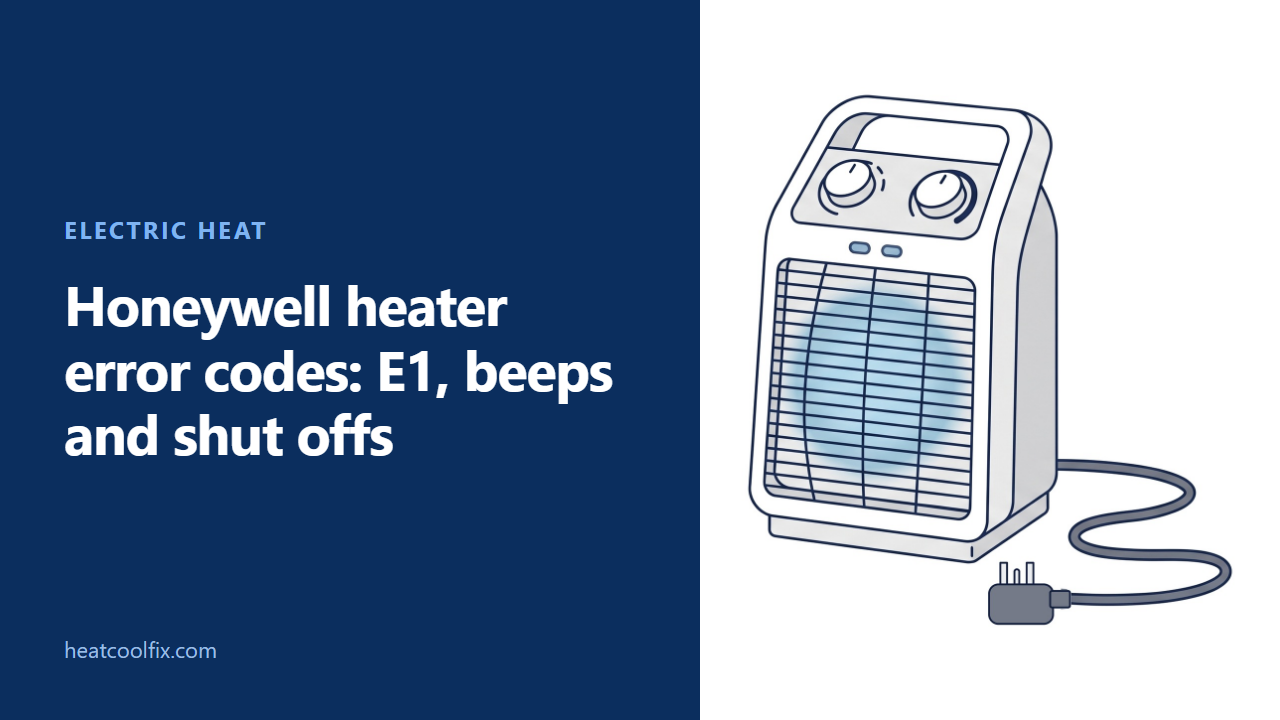
On a Honeywell space heater, E1 is about the tip-over switch. The HZ-960, HZ-970 and HZ-980 manual says the heater is tipped and stays off until it is upright; Honeywell's support page says E1 is a tip-over switch malfunction and the heater can no longer be used. Honeywell gives two reasons for a beep and then no heat: it was tipped, or its temperature sensor has failed.
Honeywell heater error codes come down to one: E1, the only code in the 13 owner’s manuals and the answers on Honeywell’s heater support page. On the HZ-960, HZ-970 and HZ-980 infrared heaters, E1 means the heater is in a tipped position. Honeywell’s support page puts it more strongly: E1 indicates a malfunction with the tip-over switch, and the heater can no longer be operated.
The rest are signals rather than codes: a beep and then no heat, a blinking light, or a heater that simply shuts off. Everything below comes from those manuals and that support page, on HoneywellPluggedIn.com, which Kaz USA publishes under the Honeywell name; “Honeywell says” below means those papers.
Before you start
What to carry: nothing but the model number. Honeywell says it is on the bottom of the heater or on the box it came in, and its support page lists the manuals by model.
Who to call: Honeywell heaters come from Kaz USA, a Helen of Troy company, and Helen of Troy uses the Honeywell name under license. The manuals say to contact Consumer Relations first, at 1-800-477-0457, and not to take the heater back to the store.
Gas or electric? Electric. The HCE300 Series manual says that heater draws 12.5 amps, so do not plug it into a circuit that already has other appliances working.
Is it only at temperature? Honeywell says a heater may simply be off because the room has reached your setting. On the HZ-960, a solid Status light means “At Temp”, and a blinking one means it is powering up or powering down. Honeywell says the fan keeps blowing after you switch off, to cool down the inside.
Off and unplugged first. When something blocks a heater that shut off, Honeywell’s steps are to turn it off, unplug it and let it cool completely before you remove it. On the HCE300 Series, let the cool down count finish first: its manual says not to unplug the heater until it has completed the cool down cycle. Pull it out by the plug body, never by the cord.
Moving it. The HCE210/HCE220, HCE840 and HHF260 manuals say to turn the heater off, let it cool for ten minutes, then unplug it and move it by its cool touch handle.
Plug it straight into the wall. Always plug the heater directly into a wall outlet, never into an extension cord or a power strip. Keep furniture, pillows, bedding, papers, clothes and curtains at least 3 feet (0.9 m) from the front, and away from all sides.
Do not open it. Honeywell says never to tamper with the heater or try to fix it: there are no user serviceable parts inside, and opening it risks an electric shock.
After a fall, damage or a spill: do not run a heater with a damaged cord or plug, or one that malfunctions or has been dropped or damaged in any way. The manuals say to discard it or return it to an authorized service facility for examination or repair. If liquid is spilled on an HZ-960, HZ-970 or HZ-980, switch it off, unplug it, wipe the spill at once and let it dry for 24 hours before you plug it in.
What each code and signal means
| What you see | What Honeywell says | What clears it |
|---|---|---|
| E1 on the display | HZ-960, HZ-970 and HZ-980 manual: the heater is in a tipped position. Support page: a malfunction with the tip-over switch | Standing it upright, in the HZ manual; Consumer Relations, on the support page |
| It beeps, then stops heating | The tip-over switch was activated, or the temperature sensor has become compromised | Righting it and switching it on; for the sensor, Consumer Relations |
| Motion Sensor Light blinking (HCE323, HCE353) | An object is too close to the heater; left there, the sensor turns the heater off | Moving the object; the heater restarts after a few seconds |
| It shuts off by itself | A safety feature may have been activated to prevent overheating | Off, unplugged, cooled and cleared, then at least 10 minutes (20 on the HCE870) |
| Dead after running too hot | A thermal cut-off fuse has shut it down for good, on models that have one | Nothing: the HCE840, HHF360 and HHF550 manuals say the heater will need to be replaced |
| Off after 8 hours | The Auto Shut Off on the HCE220, the HHF565 when selected, and the default timer on the HCE870 | Nothing is wrong: it is a timer, not a fault |
What you can check
E1: stand it upright on a flat, level floor
On the HZ-960, HZ-970 and HZ-980, Honeywell’s troubleshooting table says to confirm the heater is not tipped. With E1 lit in the Temperature Display, the heater is in a tipped position and stays off until it is moved upright. Those heaters have a four way tip-over switch that disables them if tipped front, back or side to side.
Honeywell’s support page also says to be sure the heater sits on a flat surface and that the tip-over switch on the bottom is not engaged. Its manuals say not to use a heater on an unstable surface such as bedding or deep carpeting.
If it stands level and E1 will not go away, go by the support page: there, E1 means the tip-over switch has a malfunction, and you will no longer be able to operate the heater. Call Consumer Relations at 1-800-477-0457 with the model number.
It beeps, then stops heating
Honeywell’s support page gives two reasons. The first is the tip-over switch: right the tipped over heater and turn it on, and it resets. The second is the sensor that detects the temperature: once it has become compromised, the heater will not work any more, and Honeywell asks you to contact Consumer Relations.
If it has been running, mind your hands as you lift it. Honeywell says the heater is hot when in use: do not let bare skin touch hot surfaces, and use the handles to move it.
It shut off: power, thermostat, then anything blocking it
Honeywell’s manuals say a heater that shuts off unexpectedly may have had a safety feature activated to prevent overheating. The manuals and the support page give these checks:
- Be sure it is plugged in and that the outlet is working.
- Check the thermostat setting: it may simply be off because the room reached your setting. The HZ-789 manual adds that the timer may have run out, and the HCE220’s Auto Shut Off, the HHF565’s when selected and the HCE870’s default timer turn the heater off after 8 hours.
- Look for an obstruction. If you find one, turn the heater off and unplug it, let it cool completely, then remove it. Wait at least 10 minutes, or at least 20 on the ThermaWave 6 (HCE870), before you plug it back in.
The HCE300 Series and the HZ-960, HZ-970 and HZ-980 have a filter. Turn the heater off, unplug it and let it cool, then take off the filter cover and clean or vacuum the filter. The HCE317 has no permanent filter.
The Motion Sensor Light is blinking (HCE323, HCE353)
The HCE323 and HCE353 Series have Honeywell’s SafeGuard motion sensor. If an object is placed too close to the heater, the Motion Sensor Light blinks to warn you. Leave it there and the sensor turns the heater off until the object is removed; once it is, the heater restarts after a few seconds.
Move the object, and keep anything that can burn at least 3 feet (0.9 m) from the front and away from all sides.
It was running fine and now will not run
Honeywell’s support page says that because heaters run at such high wattage, inconsistencies in power could trip an internal breaker. Unplug it and leave it unplugged for about 20 minutes, which should reset it. With more than one heater on the same circuit, the house circuit breaker could trip too, and shut off the other appliances on that circuit.
On the VersaHeat HHF260, the plug carries an ALCI safety device that protects against electric shock from ground fault currents by shutting off the power. Its manual tests it with the heater on: press TEST and the heater and fan should stop, then press RESET to resume normal operation. Honeywell says it is not an on and off switch, and that the heater should never be used near water.
If it is still dead, the cause may be the thermal cut-off fuse. Honeywell says it permanently shuts down a heater that runs hotter than normal, and the HCE840, HHF360 and HHF550 manuals say the heater will then need to be replaced. Every manual on Honeywell’s heater support page carries a 3 year limited warranty, so call Consumer Relations before you buy another.
A warm plug, or a burning smell
Honeywell says it is normal for the plug to feel warm, but a loose fit between the outlet and the plug may cause overheating and distortion of the plug. Have a qualified electrician replace a loose or worn outlet. If your home has aluminum wiring, Honeywell says to have a licensed electrician check the outlet’s connections, because with a 1500 watt heater aluminum wire connections can cause a safety issue.
On the HZ-789 EnergySmart Electric Radiator, the manual says a heater that is assembled and operating incorrectly could give off a burning odor and smoke. Switch it off and unplug it first: the same manual says not to operate a heater after it malfunctions. Once it has cooled, check it is put together the way the manual shows.
What each one takes
| What you see | What the work involves |
|---|---|
| E1 on the HZ-960, HZ-970 or HZ-980 | Standing it upright on a flat floor; a call to Consumer Relations if E1 stays |
| A beep, then no heat | Righting it; a call to Consumer Relations if the sensor has failed |
| Shut off by itself | Unplugging it, letting it cool, clearing what blocks it and waiting |
| Motion Sensor Light blinking | Moving the object that is too close |
| Will not run after running fine | About 20 minutes unplugged; RESET on the HHF260’s plug |
| Dead after running too hot | A replacement heater, under the 3 year limited warranty if it applies |
| Warm or distorted plug | An electrician for a loose or worn outlet |
Questions people ask
What does E1 mean on a Honeywell heater?
In the HZ-960, HZ-970 and HZ-980 manual, E1 means the heater is in a tipped position and stays off until it is moved upright. Honeywell’s support page says E1 indicates a malfunction with the tip-over switch and the heater can no longer be operated, so call Consumer Relations at 1-800-477-0457 if standing it level does not clear it.
Why does my Honeywell heater beep and turn off?
Honeywell gives two reasons: the tip-over switch was activated, so right the heater and turn it on and it resets; or the temperature sensor has become compromised, and the heater will not work any more. For the sensor, contact Consumer Relations.
How do I reset a Honeywell space heater?
Honeywell’s support page says to unplug it and leave it unplugged for about 20 minutes. After it shut off from overheating, turn it off, unplug it, let it cool completely, clear anything blocking it, and wait at least 10 minutes (20 on the HCE870) before you plug it back in.
Does a Honeywell space heater have a reset button?
In the 13 manuals on Honeywell’s heater support page, the one reset button is on the plug of the VersaHeat HHF260: its ALCI safety device has TEST and RESET buttons. For the others, Honeywell’s support page says unplugging it for about 20 minutes should reset it.
Why does the fan keep running after I switch it off?
Honeywell says the fan keeps blowing after you press the power button, to cool down the inside. The HCE870 manual says the fan runs for 60 seconds after the power is shut off, and the HZ-960 shuts off 60 seconds after the fan has cooled it.
The other space heater guides: space heater not working, electric heater smells like burning, Dreo heater error codes and Pelonis heater error codes.
Sources: Honeywell heater owner's manuals and the heater support page on HoneywellPluggedIn.com (Kaz USA, a Helen of Troy company): HZ-960/970/980, HCE100, HCE210/HCE220, HCE300 Series, HCE311/322/323, HCE840, HCE870, HHF250, HHF260, HHF360/HHF370, HHF550/HHF565, HZ-789 and HZ-7300
Read next
 Electric heat
Pelonis Heater Error Codes: E1, E2, E3, FF and P4
On Pelonis digital space heaters, E1 or E2 means the temperature sensor has a short or open circuit. FF is the over
 Electric heat
Dreo Heater Error Codes: E1, E2, FF, F2, P4 and PP
Dreo heaters show a code on the LED display, and Dreo's own product pages explain them. FF or F2 is overheat protection:
 Electric heat
Heat Storm Heater Error Codes: EE, EO, E1 and UH
On Heat Storm's HS-1500-PHXG-WI V2 manual, EE is a temperature-probe error, EO is a program-setup failure and E1 is a tip-over error.
 Electric heat
De’Longhi Heater Error Codes: Dragon Ht and PF
De'Longhi's US TRD40615E Dragon manual identifies Ht as high internal temperature and PF as probe failure. Ht calls for checking that the